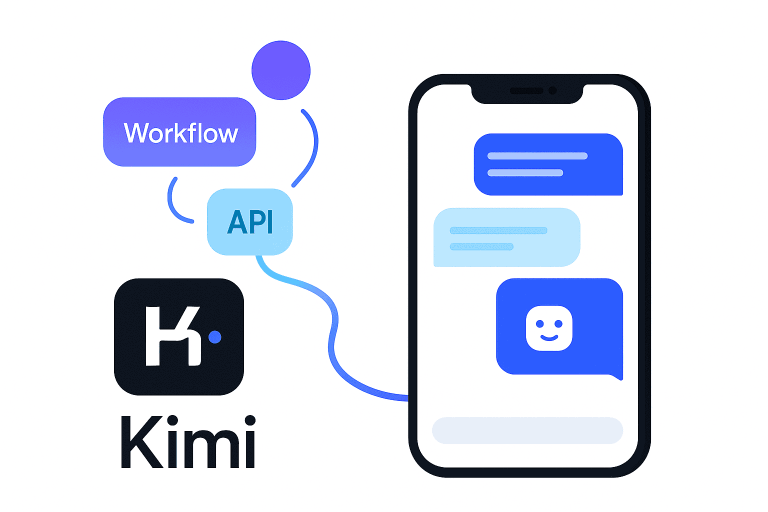
Developers are always seeking tools to speed up tasks and reduce routine effort. Kimi AI for developers has emerged as a powerful assistant that can integrate into everyday coding workflows through a chat interface or API integration.
This advanced AI model (built by Moonshot AI) is designed to help with everything from code generation to project management, enabling AI-assisted development that significantly boosts productivity.
In this article, we explore 10 practical ways to leverage Kimi AI to streamline your development process and boost coding productivity with Kimi AI in a professional work environment.
1. Writing and Refactoring Code
One of the most direct ways to use Kimi AI is as a coding partner for writing new code and improving existing code. Kimi can generate code from scratch based on plain language descriptions, and it can also refactor your current code to make it cleaner or more efficient.
It supports multiple programming languages and follows best practices, which means the output is often production-quality.
According to a review of Kimi, the model helps developers write, refactor, and optimize code across languages. In practice, this means you spend less time writing boilerplate and polishing code, and more time tackling high-level design.
For example, Kimi often includes proper types, comments, and error handling automatically, turning simple prompts into robust solutions. This developer workflow automation reduces manual effort and improves code quality.
- “Write a Python function that calculates the factorial of a number.” – Kimi AI will generate the function with clear, idiomatic code, often adding type hints, docstrings, and edge-case handling to ensure the solution is robust. This saves you time by producing a ready-to-use implementation.
- “Refactor the following code for readability and efficiency.” – Kimi can take an existing code snippet and return a cleaner version. For instance, it might replace a verbose loop with a concise list comprehension to improve clarity and performance. By automating refactoring, developers can maintain high code standards with minimal effort.
Benefits: Using Kimi AI for code writing and refactoring accelerates development cycles. It offloads routine coding tasks to the AI, which boosts productivity by letting you focus on design and problem-solving. The refactored code follows best practices, reducing technical debt and making maintenance easier.
2. Debugging and Error Explanation
Bugs and errors are inevitable in software development, but Kimi AI can function as a smart debugging assistant. Through its chat interface, you can paste an error message or faulty code and ask Kimi to identify the problem.
Kimi not only pinpoints the bug but also provides detailed explanations of why the error is happening and how to fix it. This is like having a patient mentor who walks you through the debugging process.
In tests, Kimi has been shown to break down error causes step by step – for example, explaining out-of-range index errors by reviewing how the code runs and suggesting boundary checks or alternative approaches. By understanding these explanations, developers can learn to avoid similar mistakes in the future.
- “Explain why this code is throwing an IndexError and fix it.” – If you prompt Kimi with a snippet that triggers an error, it will describe the root cause (e.g. an index out of bounds due to accessing
nums[5]in a list of length 4) and then suggest a corrected version of the code. Kimi’s response serves as both a fix and a teaching aid, describing the solution (like adding a length check or using a valid index) in clear terms. - “What does this error message mean and how do I resolve it?” – For a given compiler or runtime error, Kimi AI will interpret the message and outline steps to resolve the issue. It might point out exactly which part of the code caused the error and propose changes. This saves developers from digging through forums for explanations, thus boosting coding productivity by resolving bugs faster.
Benefits: Kimi AI’s debugging assistance shortens the time spent on troubleshooting. By receiving immediate error explanations and fixes, developers can resolve issues more quickly and with a better understanding of the root cause. The detailed guidance acts like on-demand documentation for errors, leading to fewer roadblocks and continuous development flow.
3. Generating Unit Tests and Test Cases
Writing unit tests is crucial for robust software, but it can be time-consuming to craft comprehensive test suites. Kimi AI can automate this process by generating unit tests based on your code or specifications.
Using either the chat interface or the API, you can provide a function or module and ask for test cases. Kimi will produce test code that covers various scenarios, often including normal cases, edge cases, and error conditions.
In an evaluation, Kimi produced well-structured pytest tests with parametrization for broad coverage, handling typical and edge inputs while clearly documenting intent. The model even writes descriptive names and docstrings for tests, making them easy to understand.
- “Generate unit tests for this function.” – After you supply a function (for example, a factorial implementation), Kimi will output a suite of tests. These tests might check standard inputs, boundary conditions like 0 or negative numbers, and even extremely large inputs to ensure performance holds up. The generated tests use best practices (such as using assertions and covering error cases) so you get a ready-to-run test file.
- “Create a set of test cases (input and expected output) for the above code.” – Kimi can also provide test case data in plain language or structured format, which is useful if you are writing tests in another framework or just want to validate logic. The AI might enumerate different scenarios and what outcome should occur, effectively mapping out a thorough test plan.
Benefits: By delegating test generation to Kimi AI, developers ensure more extensive test coverage with minimal manual effort. This leads to higher code reliability and frees up time; instead of writing repetitive test code, you can focus on designing features.
It also helps less experienced developers learn how to write good tests by example, since Kimi’s test suggestions follow industry best practices (like using pytest parametrization and meaningful assertions).
4. Explaining Complex Codebases
When inheriting a large or unfamiliar codebase, understanding how everything fits together can be daunting. Kimi AI can act as an intelligent guide to explain complex code. Thanks to its support for extended context (up to 128,000 tokens), Kimi can analyze large code files or even multiple files in one go.
You can paste a long piece of code or provide a repository excerpt and ask Kimi to explain it in simpler terms. Kimi will summarize the code’s functionality, describe the roles of different components, and clarify intricate logic.
Developers have noted that Kimi is able to explain complex programming concepts and code logic step by step, not just spit out what the code does. This is incredibly useful for onboarding to a new project or reviewing someone else’s code.
- “Explain the logic of this function/class.” – By providing a function or class definition, you can ask Kimi to walk through each part. It might respond with something like: “This function takes a list, then iterates to calculate X. The reason it does Y is to handle Z scenario,” breaking down the logic in human-understandable terms. This helps you quickly grasp what the code is intended to do and why.
- “Summarize what this module does and how the components interact.” – For a whole file or module, Kimi can produce a summary of its purpose and outline the interactions between functions or classes. For example, it could explain that Module A defines data models, Module B contains business logic that uses those models, and so on. It effectively gives you a high-level overview, which is great for understanding architecture without reading every line.
Benefits: Using Kimi AI to explain codebases accelerates the learning curve when dealing with legacy code or large projects. Instead of spending hours tracing through code, a developer can obtain a clear explanation in minutes.
This not only boosts productivity at work (you can contribute sooner with full understanding) but also reduces the risk of misunderstandings that could lead to bugs.
Kimi’s ability to maintain context over very long inputs means even sprawling code can be digested and explained in one session, making it easier to manage complexity.
5. Writing Documentation and READMEs
Good documentation is as important as good code. Kimi AI can help generate documentation, from inline code comments and docstrings to high-level README files for your projects. Often, when Kimi generates code, it already includes helpful comments.
You can explicitly prompt it to add documentation to existing code as well. For instance, Kimi can auto-generate docstrings and inline comments that describe what functions do, their parameters, and return values.
It follows common documentation styles (like NumPy or Javadoc style), which means the docs are structured and informative. Beyond in-code documentation, you can ask Kimi to draft external docs: project descriptions, usage guides, or installation steps for a README.
- “Add docstrings and inline comments to this function.” – Provide Kimi with a function definition without any comments, and it will return the same code annotated with a clear docstring and helpful inline comments. For example, Kimi might add a NumPy-style docstring explaining the function’s purpose, parameters, and outputs, and also include a comment inside the function to clarify a tricky part of the logic. This makes the code much more maintainable and user-friendly for other developers.
- “Draft a README for this project explaining how to set it up and use it.” – By giving Kimi an overview of your project or letting it analyze your codebase, you can ask it to produce a README.md content. Kimi can outline the project purpose, list prerequisites, provide installation instructions, usage examples, and even known issues or future improvements. The language will be formal and clear, suitable for professional documentation. You may need to tweak details, but Kimi provides a solid first draft to save you from writing docs from scratch.
Benefits: Documentation often gets delayed or overlooked; Kimi AI ensures that it can be produced quickly and kept up to date. By generating docstrings and READMEs, Kimi helps preserve knowledge about the code, which is invaluable for onboarding new team members or handing off projects.
This not only improves collaboration but also prevents productivity loss that happens when developers have to decipher undocumented code. In short, Kimi streamlines the documentation process so that maintaining good docs is nearly as quick as writing code itself.
6. Generating SQL Queries
Database interactions are another area where Kimi AI can assist developers. If you need to write SQL queries or even optimize them, Kimi can help compose the query based on your description of the data needed.
It understands database concepts and can form correct SQL syntax for various database systems (SQL Server, MySQL, PostgreSQL, etc.). In fact, Kimi is noted to assist in SQL query writing and even in database query optimization tasks.
This means you can ask for a complex query and also get suggestions on how to improve performance (for example, through indexing or restructuring the query). This is useful for backend developers and data engineers who deal with complex data retrieval and manipulation.
- “Write an SQL query to find the top 5 customers by total purchase amount.” – Kimi will generate an SQL query (for instance, using
SELECT customer_id, SUM(amount) ... GROUP BY customer_id ORDER BY SUM(amount) DESC LIMIT 5) that fulfills the request. It will use correct SQL syntax and functions. If you mention the specific database, it can tailor the query to that dialect. Kimi might also explain the query or suggest an index on the purchase amount column if performance could be an issue. - “Optimize this SQL query for faster performance.” – If you provide an existing SQL query that runs slowly, Kimi can analyze it and propose changes. This might include rewriting subqueries as joins, adding appropriate indexes, or breaking a complex query into simpler parts. Kimi’s understanding of database operations allows it to act like a SQL expert, advising on how to reduce query time or avoid common pitfalls.
Benefits: Offloading SQL query generation to Kimi AI saves time, especially for developers who are less familiar with certain query languages or complex joins and aggregations.
It ensures that the queries are correctly structured (reducing trial-and-error in SQL console) and can even lead to better-performing database interactions by incorporating optimization hints.
This leads to faster development of data-heavy features and helps avoid costly mistakes in query logic. Overall, it contributes to productivity by making data access and manipulation more efficient and less error-prone.
7. Automating Routine DevOps Tasks
DevOps and infrastructure tasks often involve writing configuration files, deployment scripts, or performing repetitive actions. Kimi AI can step in here as a scripting and automation assistant.
Because it can not only generate text but also has some tool-use capabilities, you can leverage it to create config files (like Dockerfiles, Kubernetes manifests), CI/CD pipeline scripts, or even Bash scripts for routine tasks.
Kimi’s design includes system-level operations, meaning it can conceptually edit files, execute commands, and manage workflows in a logical sequence. While you would still run the actual commands yourself, Kimi can produce the code or steps needed to automate the process.
- “Write a Dockerfile for a Python Flask web application.” – Kimi will generate a Dockerfile content that sets up a Python environment, installs dependencies (perhaps reading your
requirements.txtif provided), adds the application code, and sets the entrypoint. This saves you from writing boilerplate Docker configuration. It will follow best practices, for example using a lightweight base image and proper working directory, which improves consistency and efficiency in deployments. - “Create a CI/CD pipeline script for running tests and deploying a Node.js app.” – You can ask Kimi to draft a YAML configuration for platforms like GitHub Actions or GitLab CI. Kimi can include steps for checking out code, installing Node.js, running tests, and deploying (or packaging) the application. By automating the creation of these pipeline scripts, you ensure that continuous integration is set up quickly and correctly. The AI might also comment each step explaining its purpose, which is helpful for future maintenance.
Benefits: By using Kimi AI for DevOps-related tasks, you reduce the manual effort in setting up and maintaining your development infrastructure.
Routine tasks like writing deployment scripts or config files, which might take significant time if done from scratch, can be completed in a fraction of the time with Kimi’s help. This not only accelerates the initial setup but also ensures consistency (fewer human errors in config syntax).
In essence, Kimi acts as a DevOps assistant that helps enforce best practices (like proper formatting, ordering of steps, etc.) and lets developers focus on higher-level infrastructure strategy rather than syntax details. The result is faster, more reliable deployments and a smoother workflow for the team.
8. Learning New Languages or Frameworks
Kimi AI is not just for writing code you already know – it’s also a great resource for learning new programming languages or frameworks on the job.
When you’re faced with a technology you haven’t used before (say your project starts using a new JavaScript framework or a different backend language), you can ask Kimi for explanations, comparisons, or examples.
Kimi’s detailed answers and code generation can help developers learn programming concepts and new languages efficiently. Essentially, it can serve as a tutor that provides instant answers and code snippets for “How do I do X in Y?” questions.
- “How do I create my first component in React?” – Kimi might respond with a step-by-step explanation: first, import React, then define a function or class component, show an example code of a simple component, and explain how JSX works. It could also mention best practices (like component naming conventions or state vs props basics). This gives a beginner a quickstart guide in context.
- “Show me how to perform CRUD operations in Django (Python web framework).” – Kimi can list out how to Create, Read, Update, Delete in Django, complete with short code examples for each (using Django’s models and query APIs). It may explain the relevant functions and what files to edit (e.g., models.py, views.py) – essentially condensing documentation into a tailored lesson. By reading these answers and trying the examples, a developer can ramp up on a new framework much faster than reading lengthy docs alone.
Benefits: Integrating Kimi AI into your learning process means you have a knowledgeable assistant available 24/7.
It shortens the time needed to understand new concepts because you get focused answers rather than searching through documentation or tutorials. Kimi’s ability to break down complex topics into simpler terms and provide illustrative examples helps in building intuition quickly.
This translates to a faster adoption of new tools or languages in your project, keeping your team adaptable and your skillset sharp. In a field where learning never stops, Kimi ensures you spend less time stuck and more time productively building with the new technologies.
9. Reviewing Pull Requests and Suggesting Code Improvements
Code reviews are essential for maintaining quality, but they can be time-consuming. Kimi AI can act as an AI code reviewer to assist human reviewers. By feeding it a diff or a snippet from a pull request, you can ask Kimi to analyze it for potential issues, improvements, or adherence to best practices.
Kimi excels at understanding code context and can refactor complex code, fix errors, and even suggest algorithmic optimizations.
When used alongside a developer in a code review, it can highlight sections that might have bugs or could be made more efficient, often with an explanation of why. For example, it might catch an inefficient loop and suggest a more optimal approach, or point out a missing null-check on an input.
- “Review this code and suggest any improvements.” – If you paste a code snippet (or describe the changes in a pull request), Kimi will examine it and provide feedback. It may respond with comments like: “Function X could use error handling for invalid inputs,” or “This block is repeated in several places – consider refactoring into a helper function.” It might also detect logic errors or edge cases that the author missed. The suggestions often come with reasoning, so the team understands the rationale behind each improvement.
- “Find any bugs or inefficiencies in the following diff.” – Given a diff from a pull request, Kimi can parse the added/removed code and flag anything suspicious. For instance, it could notice that a new function doesn’t handle an error value, or that a database query in the code isn’t using an index properly. Kimi’s analysis acts as a second pair of eyes that never gets tired, helping maintain high code quality.
Benefits: Using Kimi AI in code reviews increases the thoroughness of each review while saving time for the development team. It can catch issues that humans might overlook, especially trivial mistakes or potential optimizations.
This leads to more robust, cleaner code being merged. Importantly, Kimi provides explanations for its suggestions, which turns code reviews into learning opportunities rather than just a checklist.
Over time, developers can learn from these AI suggestions and improve their own coding practices. In summary, Kimi as a code review assistant means faster reviews, improved code quality, and continuous learning for the team.
10. Managing Project Workflows and Tasks with AI Support
Beyond coding-specific tasks, Kimi AI can also help in managing and organizing development workflows. Thanks to its agentic capabilities, Kimi can plan and execute multi-step workflows in a logical manner.
While it won’t replace your project manager, it can assist with generating plans, checklists, or even user stories by processing project information. For example, you can outline your project goals to Kimi and ask it to break them down into actionable tasks or milestones.
Kimi might also help prioritize tasks or identify dependencies if you describe your project scenario. Essentially, it’s like having an assistant who can draft a project plan or to-do list based on a high-level idea.
- “Outline a two-week sprint plan for adding a new feature to our app.” – If you tell Kimi about the feature (say, “Implement user authentication”) and some context about your app, it can generate a structured plan. It may list tasks such as “Set up database schema for user accounts”, “Implement signup API endpoint”, “Create frontend UI for login/signup”, “Write tests for authentication flows”, each possibly with an estimated order or time. This gives the team a starting point for sprint planning or task management, ensuring no major aspect is forgotten.
- “Given the following project requirements, list the tasks and their dependencies.” – You can provide Kimi with a brief project description or a list of requirements, and ask for an ordered task breakdown. Kimi can produce something like: Task A (prerequisite for Task B), Task B, Task C (can be done in parallel with B), etc. For example, it might note that “You must complete the database design (Task 1) before you can implement the API (Task 2)”. This helps in visualizing the workflow and scheduling work efficiently.
Benefits: Having Kimi AI support project planning and task management helps ensure nothing falls through the cracks during development. It brings a level of analytical thoroughness to breaking down work that can complement a developer’s or manager’s perspective.
By automating the drafting of plans and checklists, teams can save time in the initial planning phases and quickly adjust the AI’s output to reality. Kimi’s multi-step reasoning means it can consider the sequence of tasks and the resources needed, contributing to more realistic plans.
Overall, this use of Kimi AI leads to better organized projects and can improve coordination among team members, indirectly boosting productivity at work through clearer direction and reduced management overhead.
Conclusion
Kimi AI is transforming how developers approach their day-to-day work. By integrating this AI into your coding and workflow, you unlock developer workflow automation across a range of activities – from writing and testing code to learning new skills and managing projects.
The ten use cases above highlight that whether you’re using Kimi AI via a convenient chat interface or calling its API in your tools, it can act as a versatile teammate.
It writes and refines code, debugs errors with detailed explanations, generates tests and documentation, crafts database queries, automates DevOps scripts, mentors you in new technologies, reviews code, and even helps plan your projects.
In each scenario, the common thread is that Kimi AI saves you time and enhances quality, effectively boosting coding productivity with Kimi AI as an ever-ready assistant.
Embracing AI-assisted development through Kimi not only accelerates individual tasks but also elevates the overall efficiency and innovation of your development team.
As AI tools like Kimi continue to evolve, developers who leverage them are likely to outperform those who don’t, making it a smart move to incorporate Kimi AI into your professional toolkit for 2025 and beyond.