Remote software developers face unique productivity challenges – from juggling code tasks solo to managing projects across time zones. Kimi AI offers a powerful solution: an advanced AI assistant (via both a chat interface and API) that helps remote developers boost productivity with AI.
This article explores how Kimi AI Tools (the Kimi Chat interface and Kimi API) can streamline the remote development workflow, automate routine tasks, and act as a smart coding partner.
We’ll cover specific use cases like code generation, documentation, DevOps automation, task management, learning support, and collaborative coding – complete with realistic prompt examples.
By the end, you’ll see why Kimi AI for remote developers is one of the best AI tools for remote productivity, and how developers can boost productivity with AI in their daily work.
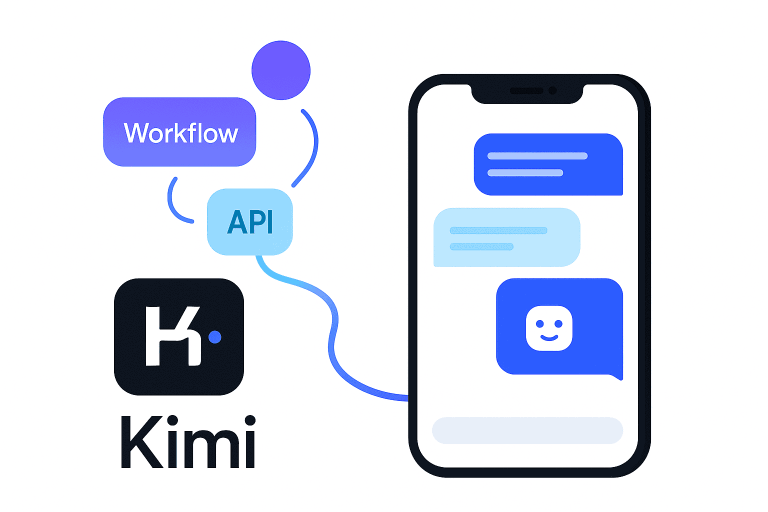
Kimi AI for Remote Developers: Chat Interface and API
Kimi AI is built on Moonshot AI’s cutting-edge K2 model – a trillion-parameter AI specialized in coding and reasoning.
This AI model not only answers questions but can autonomously use tools, run code, and fetch information to fulfill tasks (what Moonshot calls “agentic intelligence”). Remote developers can access Kimi in two convenient ways:
- Kimi AI Chat Interface: An easy web & mobile chat where you converse with Kimi in natural language. Simply ask questions or describe tasks, and Kimi responds with solutions or advice. The chat supports extremely long context (up to 128k tokens) – meaning Kimi can ingest entire codebases or documents without losing context. It’s also multimodal, so you can input code blocks or even images if needed. Crucially, Kimi Chat is free and unlimited for users, with no chat caps, breaking industry norms for advanced AI access. For a remote dev on a budget, having a free, unlimited AI assistant available 24/7 is a huge productivity boost.
- Kimi AI API: For deeper integration, Kimi offers a developer API that’s compatible with OpenAI’s API protocols. This means you can integrate Kimi’s AI into your own tools, IDE, or workflows with minimal setup – for example, hooking it into a VS Code extension or a Slack bot for your team. The API lets you send programmatic queries to Kimi (just like ChatGPT-style endpoints), enabling remote development workflow automation by having Kimi perform tasks behind the scenes. Because Kimi is open-source, you even have the option to self-host it or use community-run instances, giving you control over data and privacy. In short, the chat interface is great for on-the-fly help, while the API empowers you to build Kimi’s intelligence into your daily dev toolkit.
Why Kimi AI? For remote developers, Kimi brings the kind of instant support and collaboration one might miss outside an office. It excels at coding, with benchmark results that outshine many other AI models in coding tasks, and it’s designed to enhance productivity, automate workflows, and improve problem-solving accuracy. Now, let’s dive into concrete ways to leverage Kimi AI tools in a remote dev workflow.
AI-Powered Code Generation, Debugging, and Refactoring
One of the biggest productivity boosts Kimi AI offers is as an AI coding assistant. It can generate new code, debug existing code, and suggest refactorings – effectively acting like a pair programmer who’s always available. This helps remote devs tackle tricky issues or boilerplate faster, without waiting on a colleague’s help.
Kimi’s coding capabilities are state-of-the-art. In fact, the K2 model scored 53.7% on a challenging coding test (outperforming GPT-4.1’s 44.7%), demonstrating its prowess in software tasks. In practice, Kimi has shown it can identify subtle bugs and even write unit tests to fix them.
For example, one reviewer gave Kimi a complex JavaScript function with a hidden async logic bug – Kimi not only pinpointed the error but proactively suggested a fix and wrote a suite of unit tests to prevent regressions. This level of insight and initiative is akin to having a senior engineer review your code.
Code Generation: Kimi can produce clean, optimized code in many languages on demand. Whether you need a quick snippet (e.g. a Python function to parse JSON) or a scaffold for an entire feature, it delivers production-ready code with best practices.
Developers report that Kimi’s outputs often include docstrings, type hints, and error handling – going beyond basic snippets to be ready for real-world use. In one instance, prompting Kimi to “Write a simple to-do list app with HTML, CSS, and JS” resulted in a fully functional, responsive app.
The generated code used semantic HTML, clear CSS, and even included security measures like escaping user input for XSS protection. This means less time cleaning up code and more time building features.
Example Prompt (Code Generation): “Kimi, create a Python function that reads a CSV file and returns the top 5 entries sorted by a given column. Please include error handling for missing files.”
What Kimi can do: It will generate a well-structured read_top_entries(filename, column) function, possibly using pandas for convenience, with try/except blocks to handle errors. The code will be commented and include docstrings explaining the function’s usage.
Debugging & Error Fixing: When you’re stuck with a bug, Kimi becomes a rapid debugging partner. You can paste an error trace or problematic code and ask for help. Kimi will analyze the code logic to find mistakes or inefficiencies.
It not only tells you what’s wrong but explains why and suggests a fix. According to one source, developers can use Kimi AI to detect errors and generate optimized solutions, making it a powerful partner in squashing bugs.
The model is known to provide detailed explanations for its debugging suggestions, which is great for learning. For remote devs, this means faster resolution of issues that otherwise might take hours of Googling. It’s like having an expert reviewer for every merge request.
Example Prompt (Debugging): “I keep getting a NullPointerException in the function below. Can you help me find the bug and fix it?” (Include the function code.)
Expected Kimi Response: Kimi will point out the line causing the issue (e.g. maybe an object that wasn’t initialized), explain the cause (why that variable can be null), and suggest a corrected code snippet or check (like initializing the object or adding a null check). It will describe the fix in clear terms, essentially performing a mini code review for you.
Refactoring: Over time, code can become messy – especially if multiple remote teammates contribute. Kimi can automatically refactor code to improve readability, efficiency, or adherence to best practices.
For instance, if you provide a looping code block and ask for a more “Pythonic” approach, Kimi might replace it with a list comprehension or use built-in functions appropriately.
In tests, Kimi’s refactoring was concise and effective – e.g., converting a verbose loop into a clean list comprehension that preserved functionality while making the code more readable.
It will justify the changes (like explaining that list comprehensions are more idiomatic for such cases). By using Kimi for refactoring, remote devs can keep their codebase maintainable without dedicating excessive time to cleanup. It’s also a great way to enforce coding standards in a project.
Example Prompt (Refactoring): “Refactor the following Java method to reduce nesting and improve clarity.” (Provide a Java method with deep nested if-else.)
Expected Kimi Response: A reworked version of the method, perhaps by using guard clauses to avoid deep nesting, splitting some logic into smaller private methods, and adding comments or JavaDoc.
Kimi would explain each change (e.g. “Extracted X logic into a separate function for reusability” or “Replaced the loop with a stream API for conciseness”).
By leveraging Kimi AI for code generation, debugging, and refactoring, remote developers can save time and improve code quality. Routine tasks that might take an afternoon (or require asking a teammate for help) can be done in minutes. This AI-driven coding assistance essentially gives you an “AI pair programmer” who writes code, finds bugs, and polishes your codebase continuously.
Automating Documentation, READMEs, and Code Comments
Documentation often falls by the wayside – especially in fast-paced remote teams. Kimi AI can step in to ensure your code and projects are well-documented without consuming your entire day. Using Kimi for documentation generation helps remote developers maintain clarity and knowledge-sharing even when working apart.
Inline Code Comments: You can ask Kimi to explain a piece of code, and it will insert comments that clarify each step. For example, given a function, a prompt to “Add inline comments to explain this code” will yield the same code annotated with concise # comments for Python or // comments for JavaScript, etc.
Kimi excels at understanding code intent thanks to its programming-trained model, so the comments will often be accurate and insightful.
In one test, when asked to document a simple greet(name) function, Kimi produced a clear NumPy-style docstring explaining the function’s purpose, parameters, and return value, along with an inline comment to improve readability. This level of automated documentation is precise and saves you from writing out basic explanations.
Auto-Generating Docstrings and API Docs: Kimi can create docstrings for functions, classes, or APIs by analyzing the code. For instance, “Generate a docstring for this function” (with the code given) will result in a nicely formatted description of what the function does, its parameters, return values, and possibly examples, depending on context.
This is extremely useful for remote teams – anyone on the team can quickly understand a piece of code by the AI-written docs, even if the original author is offline. Kimi’s responses tend to follow common documentation standards (like reStructuredText or NumPy docstring format) for consistency.
README and Project Documentation: Need a project README or technical documentation? Kimi can help draft it.
Because it can handle large context, you could provide an outline of your project or even feed in some source files, and then prompt: “Kimi, generate a README.md for this project, including setup instructions and usage examples.” It will leverage the information to produce a structured README.
Kimi’s strong writing ability (it’s not just a coder, but also a capable writer) means the documentation will be coherent and even polished in tone.
It can save hours that a developer might spend writing out installation steps or feature descriptions. Of course, you’ll want to review and tweak any auto-generated docs, but Kimi handles the heavy lifting of the first draft.
Furthermore, Kimi can summarize large documents or specifications to make them digestible. For example, if your project relies on a long technical spec or an API contract, you could ask Kimi to summarize it or extract key points.
It supports analyzing over 50 file formats and can summarize lengthy texts instantly, which “saves users hours of manual reading”. In a remote setting where you might be handed a long design document to implement, Kimi can quickly give you the TL;DR so you start productive work faster.
Example Prompt (Documentation): “Here is the function process_data(data) (paste code). Please write a detailed docstring for it and add inline comments explaining the main steps.”
What Kimi might do: It will return the function code with a neatly formatted docstring at the top (including a description of the function’s purpose, parameters, returns, and maybe raises if exceptions), plus comment lines before key operations in the code (e.g. “# Filter out invalid entries” or “# Calculate summary statistics”). This transforms an undocumented function into one that any teammate can easily understand.
By integrating Kimi AI into your documentation workflow, you ensure knowledge is shared and preserved without overburdening any developer. For remote teams, this is invaluable – clear docs reduce the need for meetings or back-and-forth chats to understand code, keeping everyone productive.
Automating DevOps Tasks and Scripts
In a remote dev environment, you might not always have a DevOps engineer on hand to help with infrastructure or build pipeline issues. Kimi AI can act as your AI DevOps assistant, helping you automate workflow tasks and scripting so you can keep focus on coding.
Thanks to its programming skills and tool-use abilities, Kimi can generate configuration files, CI/CD scripts, and even interact with APIs or cloud services (via its agentic actions) to streamline ops.
Infrastructure as Code Generation: Need a Dockerfile, Kubernetes config, or Terraform script? Simply describe what you need and let Kimi draft it.
For example, “Kimi, write a Dockerfile for a Node.js app using Python 3.9 and Alpine Linux, expose port 8000” will produce a reasonable Dockerfile with best practices (maybe using an official base image, setting working directory, copying code, installing dependencies, and specifying the entrypoint).
If something is off, you can iteratively refine the prompt. Kimi’s knowledge of multiple programming and scripting languages means it can handle Bash, YAML, JSON configurations and more.
It understands and can generate YAML for GitHub Actions or GitLab CI pipelines, AWS CloudFormation snippets, etc. Having Kimi instantly write these scripts saves remote devs the time of searching docs or StackOverflow for the right syntax.
CI/CD Pipeline and Automation Scripts: Kimi can help craft continuous integration pipelines – for example, generating a GitHub Actions workflow or a Jenkinsfile.
Prompt it with your requirements: “Create a GitHub Actions workflow YAML that builds and tests a Java Maven project, and runs on pushes to the main branch.” You’ll get a multi-step YAML with jobs for checkout, setup Java, cache dependencies, build, and test. Instead of hand-writing and debugging the pipeline, Kimi provides a solid starting point.
Likewise, for automation scripts (say a Python script to clean up old AWS S3 buckets or a Bash script to set up a dev environment), describing the goal to Kimi yields quick results.
What makes Kimi especially powerful for DevOps tasks is its agentic integration capabilities. Developers have the option to define tools or functions that Kimi can call via the API.
This means Kimi can not only write a script, but potentially execute a sequence of operations: e.g., perform a web search for latest library versions, or query an API to fetch data, and then incorporate that into a config.
In one demonstration, Kimi’s agent mode was used to research a topic by calling a search tool and then summarizing results autonomously.
Imagine applying that to DevOps: Kimi could check for the latest version of a Docker base image or library and update your config accordingly. This is remote development workflow automation in action.
Additionally, Kimi’s knowledge base includes many best practices. It might warn you or include notes for improvement in the generated scripts.
For instance, it could comment “# Note: This uses root user, consider using a non-root user for security” in a Dockerfile, showing a level of insight that prevents mistakes. This kind of intelligent feedback is like having a DevOps consultant available on-demand.
Example Prompt (DevOps): “Kimi, generate an AWS CloudFormation template for a simple web app: 1 EC2 instance (t2.micro) running Ubuntu, with an attached security group allowing ports 22 and 80.”
Expected Kimi Output: A JSON or YAML CloudFormation template defining an EC2 instance resource, a security group resource with the specified inbound rules, and necessary properties (AMI ID, key name parameter, etc.).
It will likely include parameters for flexibility (like allowing the user to input the key pair name). Kimi might also include a brief explanation or comment for each section of the template, helping you understand the infrastructure setup.
By using Kimi AI to automate DevOps and scripting, remote developers can manage infrastructure needs without always escalating to specialists. This accelerates deployment cycles and reduces bottlenecks, effectively acting as an “AI DevOps engineer” in your toolkit.
And because Kimi keeps up with real-time knowledge (it can do web searches for up-to-date info), it’s aware of the latest tools and configuration styles, ensuring your automation tasks are current.
Task Prioritization, Stand-Up Updates, and Project Summaries
Remote teams rely on async communication and written updates. Kimi AI can assist developers in managing tasks and producing summaries, ensuring you stay organized and communicate effectively without spending too much time composing reports or updates.
Prioritizing Tasks: If you’re juggling multiple Jira tickets or tasks in a sprint, you can ask Kimi to help prioritize.
For example, list your tasks with deadlines or importance levels and prompt: “Given the following tasks and their deadlines, which should I prioritize this week and why?” Kimi will analyze the list and suggest an order (e.g., tackle the imminent deadline first, or address a quick win to reduce load), often providing a rationale.
It’s like a sanity check for your planning. The AI’s logical reasoning capabilities mean it can weigh factors and articulate a plan, which is great for solo remote devs who want a second opinion.
Kimi is tuned to break down complex decisions into step-by-step reasoning, so its prioritization advice will be explained clearly, helping you understand the reasoning.
Daily Stand-up or Progress Updates: Many remote teams do daily stand-ups in writing (via chat or project management tools). Kimi can help you generate a concise stand-up update from raw notes.
You might give it a quick brain-dump of what you did (“Fixed bug in authentication, reviewed PR #42, started implementing payment API integration”) and what you plan, then ask Kimi: “Turn this into a brief stand-up update.”
The result will be a well-formed update like: “Yesterday: Fixed an authentication bug and reviewed PR #42. Today: Implementing the payment API integration.
Blockers: None at the moment.” This ensures you communicate clearly and professionally with minimal effort. It’s especially handy if English isn’t your first language or you’re not comfortable writing – Kimi’s natural language strength will polish your updates.
Summarizing Project Activity: Over a week or sprint, a lot happens – commits, tickets closed, incidents, etc. Kimi can create summaries of project activity that help keep everyone aligned. For instance, feed Kimi a list of commit messages or an export of yesterday’s merged PR titles and ask for a summary: “Summarize this list of commits into a brief changelog for the team.”
It will produce something like bullet points: “- Added feature X to improve Y… – Fixed bug Z affecting the login flow… – Refactored module ABC for better performance…”. This is extremely useful for remote leads or developers preparing weekly reports. Instead of manually compiling notes, Kimi does the collation.
Given Kimi’s high token context, you can input a pretty large changelog or chat transcript and it will still handle it. It’s been noted that Kimi can process and summarize large documents or transcripts without losing track, thanks to its 128k context window.
Kimi can also summarize meetings or design discussions. If your team has a lengthy Slack thread debating a technical approach, you can copy it (assuming privacy policies allow) and ask Kimi for the key decisions and rationale. It’s like having an automatic meeting minutes generator – invaluable for remote teams where not everyone can sync up at the same time.
Example Prompt (Summarizing Activity): “Here are the git commit messages for the last 3 days (paste messages). Please summarize the main changes in a paragraph suitable for a status email.”
Expected Outcome: A short paragraph like: “This week, we implemented the user profile page caching, which improved load times.
We also fixed several bugs including the payment gateway timeout issue and a UI glitch in the signup form. Additionally, the authentication module was refactored for cleaner session management.” – all derived from the commit details but written in a coherent narrative.
By using Kimi AI for task and project summaries, you ensure nothing falls through the cracks in a remote setting. It helps you and your team maintain clarity on what’s important, what’s done, and what’s next, with minimal overhead. This means more time coding and less time writing status reports!
Streamlining Learning and Skill Development
Working remotely often means you have to be self-sufficient in learning new technologies or troubleshooting issues. Kimi AI can act as an AI tutor and mentor for developers, accelerating learning and providing guidance when you hit knowledge gaps.
This is a key productivity boost: instead of scouring docs for hours, you can interactively ask Kimi and get tailored explanations or examples.
AI-Guided Coding Help: If you encounter an unfamiliar framework or language feature, you can ask Kimi to explain it or provide a quick example. For instance: “What is the difference between concurrency and parallelism in Python? Give me a simple example.”
Kimi will produce a clear explanation (perhaps noting that concurrency is about tasks starting and switching, while parallelism is about tasks truly running at the same time on multiple cores) and a short code example (maybe using Python’s asyncio for concurrency vs multiprocessing for parallelism).
Because Kimi has been trained on vast programming knowledge, it often provides analogies or step-by-step logic that make complex concepts easier to digest.
In fact, Kimi’s detailed, structured answers have been highlighted as a strong point for learning – it “explains logic step by step, making complex programming tasks easier to manage,” according to one user.
Interactive Q&A and Troubleshooting: You can treat Kimi like a mentor on call. Ask it questions as you would on Stack Overflow or to a senior dev.
For example: “How do I optimize this SQL query? (paste query)” or “What are some best practices for memory management in C#?” You’ll get answers that are not only factual but often enriched with reasoning or even examples.
This helps build your skills as you go. It’s been noted that beginners can use Kimi K2 for learning programming, as it identifies errors and provides corrected solutions with clear explanations – essentially teaching as it corrects.
For a remote junior developer, this kind of guidance can replace what they might miss from not having an in-person senior to ask questions.
Coding Challenges and Feedback: To improve your skills, you could even use Kimi to generate practice problems or quizzes.
For example: “Kimi, quiz me on JavaScript closure concepts” or “Can you give me a simple coding challenge involving recursion, and then provide the solution?” Kimi can comply by giving a problem description, waiting for you to attempt a solution, and then providing the answer or hints.
It’s a creative way to learn by doing, with Kimi providing instant feedback or confirming if your solution is correct.
Another angle is leveraging Kimi’s ability to read and explain complex materials. If you’re trying to learn a new library, you can feed it a section of the documentation and ask it to summarize or clarify a part you don’t understand.
Kimi’s mix of code understanding and natural language explanation shines here, effectively giving you a personalized tutorial.
Example Prompt (Learning): “I’m new to Docker. Explain in simple terms how Docker containers differ from virtual machines, and provide a basic example of creating and running a Docker container.”
Expected from Kimi: It would respond with an explanation of containers vs VMs (e.g., containers share the host OS kernel and are lighter weight, whereas VMs emulate entire OS – likely with an analogy).
Then it might give a step-by-step example: “1. Write a simple Dockerfile… 2. Build the image… 3. Run the container…” including example commands. This transforms a tedious documentation hunt into an immediate, conversational learning session.
In summary, Kimi AI serves as a constant learning companion. It not only solves problems but also educates you in the process (its “teaching-oriented explanations” have been praised for helping developers learn while solving problems).
For remote developers aiming to upskill or quickly grasp new technologies, Kimi drastically reduces the friction – you can learn in the flow of work, asking the AI whenever curiosity or confusion arises. This leads to faster growth and productivity.
Collaborative Workflows: Code Reviews and Pair Programming with Kimi
Collaboration is another area where remote developers can leverage Kimi AI. Think of Kimi as an AI colleague who can review code, discuss solutions, and even do pair-programming-style sessions with you. While it’s not a human, its advanced coding understanding makes it a valuable second set of eyes on your work.
AI-Assisted Code Reviews: Before you push your code or open a pull request, you can have Kimi review it. This involves pasting the code or diff and asking something like: “Review this code for any issues or improvements.” Kimi will analyze it and come back with feedback.
For example, it might catch a potential bug (“This function doesn’t handle the case when X is null”), point out a suboptimal approach (“Consider using a dictionary for faster lookups instead of a list here”), or simply praise well-structured parts. It can also suggest improvements in style or performance.
Kimi’s ability to understand and refactor complex code across multiple languages means it can handle even larger code snippets and still offer meaningful suggestions.
Essentially, you get an objective code review anytime you want. For remote devs who might not get immediate peer reviews, this is a great quality check.
Notably, Kimi often provides detailed explanations for its suggestions. So if it flags something, it will explain why it’s an issue and how to fix or improve it.
This is similar to how a senior engineer would mentor a junior in a review – not just telling what to change, but why. Such AI feedback can raise the code quality bar in your project when used regularly.
Pair Programming and Brainstorming: You can also use Kimi in a more interactive, back-and-forth way to solve a problem.
For instance, if you’re not sure how to implement a feature, you might start a chat: “I need to implement feature X. I was thinking of doing it this way… What do you think? Any better approach?” Kimi can act as a rubber duck that actually talks back with ideas.
It might propose a different design pattern or point out scenarios you hadn’t considered. Because Kimi has context memory, you can have a multi-turn conversation refining the solution.
This simulates the experience of pair programming or technical brainstorming with a colleague, which remote devs often miss out on. The difference is Kimi’s knowledge is vast and up-to-date – it might even suggest using a new library or tool that you weren’t aware of.
Mentorship and Onboarding: For new members joining a remote team, Kimi can help them get up to speed by answering questions about the codebase.
Instead of repeatedly asking teammates, a newcomer could query Kimi: “Explain what the module X does in this project” (after providing the code or description). Kimi can summarize the module’s role and how it interacts with others.
Its large context window means it could even take in an entire file or multiple files of the module to generate an overview. This AI “mentor” reduces the burden on the team to constantly guide the new developer, and the new dev can learn independently at any time.
Example Prompt (Code Review): “Kimi, here’s the code for a function that processes user input (paste code). Can you review it and suggest any improvements or identify potential bugs?”
Expected Review Output: Kimi might respond with a list of points: “1.
The function doesn’t handle the case when input is null – you might want to add a check. 2. Consider using regex to validate the email format rather than just checking for an ‘@’. 3. The loop could be replaced with a list comprehension for clarity. 4. Overall, the logic is sound, and the code is well-documented.”
Each point would be elaborated in a sentence or two. This gives you actionable feedback that you can immediately apply.
By treating Kimi as a collaborator, remote developers can mitigate the isolation of working alone. You effectively have an AI teammate who is always ready to review your code or bounce ideas around.
This not only catches issues early (improving software quality) but also fosters a sense of support – you’re never truly coding “alone” even if you’re the only one online.
Conclusion: Empowering Remote Development Workflows with Kimi AI
Remote work doesn’t have to mean working in isolation or being less productive. Kimi AI Tools – through its versatile chat assistant and integrable API – empower developers to work smarter and faster from anywhere.
By integrating an AI like Kimi into your remote development workflow, you get the benefit of a tireless coding assistant, documentation writer, DevOps helper, task manager, tutor, and code reviewer all in one.
Kimi’s advanced capabilities (from a massive 1T-parameter model and 128k context) translate directly into productivity gains for remote devs: it can handle entire projects worth of context, provide real-time answers with up-to-date knowledge, and even take actions to automate tasks.
We’ve seen how remote developers can boost productivity with Kimi AI in coding (faster code writing and debugging), documentation (auto-generated docs and summaries), automation (scripts and tool integration), project management (prioritization and updates), continuous learning (on-the-job Q&A), and collaboration (AI-based reviews and pair programming).
Importantly, Kimi AI is accessible and cost-effective – the chat interface is free for unlimited use, and the open API means you can integrate it without prohibitive costs. This lowers the barrier for individual remote developers or small distributed teams to leverage cutting-edge AI.
As one tech writer noted, Kimi “enhance[s] productivity, automate[s] workflows, and improve[s] problem-solving accuracy” across tasks, essentially serving as an all-in-one booster for your remote workflow.
In the rapidly evolving world of software development, those who harness AI tools can gain a competitive edge. Kimi AI Tools allow you to automate the boring stuff, get instant expert advice, and focus your energy on the creative and complex parts of development.
Whether you’re a solo freelancer or part of a distributed team, integrating Kimi into your daily routine can transform how you work – enabling you to ship faster, learn more, and collaborate effectively despite the distance.
Boosting remote work productivity with Kimi AI ultimately means you have a powerful ally in your corner at all times. By making Kimi your remote co-developer, you can code with confidence and agility.
It’s an exciting example of AI tools for remote productivity in action – turning what could be a lonely grind into an efficient, supported, and continuously improving workflow. Give Kimi AI a try in your next coding session or project, and experience the difference as your personal AI-powered development partner.