In today’s fast-paced SaaS industry, delivering top-notch customer support at scale is crucial for retaining users. Kimi AI – an advanced AI assistant developed by Moonshot AI – offers a compelling solution by embedding intelligent automation into support workflows.
Integrating Kimi AI into your customer support system can help SaaS companies provide faster responses, 24/7 assistance, and highly personalized service to every customer. This article explores how to integrate Kimi AI with popular support platforms (like Zendesk, Intercom, and Freshdesk) and custom systems.
We will also highlight practical use cases (from automated ticket resolution to smart FAQs) and discuss the benefits of automated customer support with Kimi AI over traditional methods.
Finally, we’ll cover best practices for implementation – including technical and no-code integration methods – and tips for training the AI on company-specific data to ensure a seamless rollout.
Why Integrate Kimi AI for SaaS Customer Support?
SaaS companies face unique support challenges that make AI integration especially valuable. High volumes of support tickets, complex technical inquiries, and customer expectations for 24/7 support across time zones can strain a growing team.
Agents often spend excessive time on repetitive questions, and rapidly evolving products mean constant training is required. AI-powered support addresses these pain points by offering scalable, always-on assistance that grows with your business.
Kimi AI in particular brings the power of a cutting-edge large language model (LLM) to these support scenarios. It leverages advanced natural language processing to understand customer questions and retrieve answers from your knowledge base or past tickets.
The result is a personalized customer experience where each user receives tailored, context-aware help. AI can even analyze a user’s interaction history or account data to customize its responses, enhancing satisfaction and loyalty.
Beyond personalization, AI ensures consistency – delivering the correct solution no matter how a question is phrased – and it continuously learns from each interaction to improve over time.
From an operational standpoint, integrating Kimi AI can automate ticket triage and routine workflows. For example, AI can instantly categorize and prioritize incoming tickets, or even resolve simple issues without human intervention. This reduces the load on human agents and lets them focus on complex or high-value queries.
Kimi AI’s capabilities go beyond simple chatbots: it’s a powerful model (Kimi K2) known for advanced reasoning and a massive 128,000-token context window, which means it can sustain extended conversations and reference large documents without losing track.
This makes it ideal for SaaS support where detailed troubleshooting or lengthy knowledge base articles may be involved.
In short, Kimi AI for SaaS support combines speed, intelligence, and scalability. Companies integrating AI have seen significant improvements: faster response times, higher first-contact resolution, and lower support costs, all while maintaining (or improving) customer satisfaction.
AI-driven support is not just a trend but quickly becoming a competitive necessity – in fact, by 2025 over 80% of customer interactions are expected to be handled by AI systems, allowing SaaS businesses to scale efficiently without sacrificing service quality.
Integration Approaches: How to Incorporate Kimi AI into Support Systems
Integrating Kimi AI into your existing customer support infrastructure can be achieved through various methods, both technical and non-technical.
The flexibility of Kimi AI means you can connect it to platforms like Zendesk, Intercom, Freshdesk, or even a custom support portal. Below, we break down integration strategies and examples:
Technical Integration via API and SDKs
For teams with developer resources, a direct API integration is a powerful approach. Kimi AI (specifically the Kimi K2 model) is accessible via APIs that are compatible with standard AI frameworks.
In fact, Kimi K2 is available through OpenRouter’s unified API, which is OpenAI-compatible – allowing developers to use familiar SDKs (like the OpenAI Python library) to call Kimi without learning new interfaces.
In practice, this means you can treat Kimi AI similarly to other well-known AI models when writing code for integration.
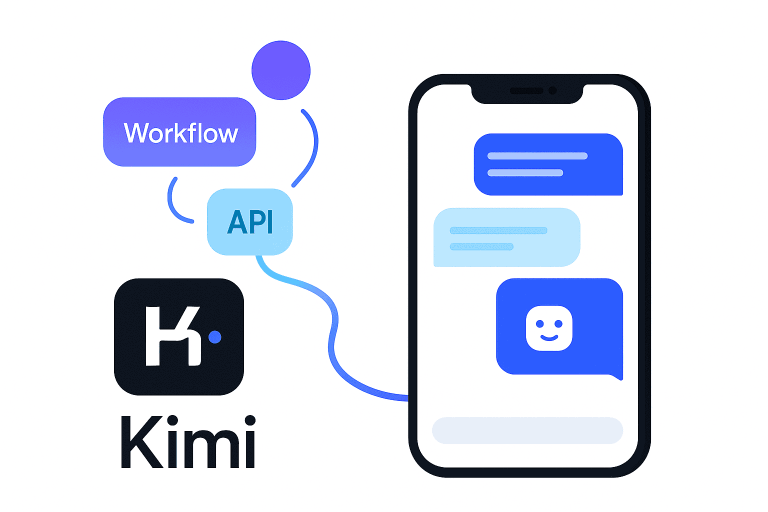
Example – Custom Application Integration: Suppose you have a custom support portal or mobile app. Using Kimi’s API, you can build an AI-powered chat widget. When a user asks a question in the app, your system sends the query to Kimi’s API and gets back an AI-generated answer in real time.
With Kimi’s high performance, these answers can be as accurate and nuanced as those from top-tier proprietary models, but running on your terms (Kimi is an open-source model).
Developers can also fine-tune how the AI responds by engineering the prompts or using system instructions to match your brand’s tone and policies.
Example – Ticketing System Automation: If you use an internal ticketing system, you can write a backend script that listens for new tickets or emails. The script could automatically feed each new query to Kimi AI and obtain a suggested resolution.
It could then either respond directly to the customer (for common questions) or present the suggestion to human agents for verification. With the API approach, you have full control: Kimi AI can be integrated at various points in your workflow (from live chat, to email support, to agent assist tools).
Leveraging SDKs and Libraries: Because Kimi K2’s API is OpenAI-compatible, developers can use existing libraries and examples from OpenAI or Anthropic and just swap in Kimi’s credentials/endpoint.
This dramatically lowers the barrier to integration – for instance, if you have code that currently calls OpenAI’s GPT model for support automation, you can redirect those calls to Kimi with minimal changes.
The technical approach offers the most customization, letting you embed Kimi AI deeply into your support stack and tailor its behavior.
No-Code and Low-Code Integration (Non-Technical Methods)
You don’t need to be a developer to integrate Kimi AI into customer support systems. Many SaaS-focused platforms and no-code tools allow AI integration with point-and-click simplicity. Kimi AI’s ecosystem supports this via compatible integrations and third-party tools:
- No-Code Chatbot Builders: Platforms like ChatMaxima Studio provide drag-and-drop chatbot builders that now support Kimi K2 out-of-the-box. For example, ChatMaxima’s no-code platform combined with OpenRouter’s API lets you harness Kimi K2’s capabilities without extensive coding expertise. A non-technical user can sign up, select Kimi as the AI model for a chatbot, and visually design conversation flows. The underlying connections to Kimi’s API are handled by the platform. This means in a few hours you could have a Kimi AI–powered support chatbot live on your website or in your app, answering customer questions and creating tickets as needed – all achieved through a UI instead of programming.
- Built-in Helpdesk Integrations: Check if your helpdesk software has an app marketplace or native AI integration option. For instance, Zendesk supports custom chatbot integration via its Sunshine Conversations or API, and Intercom allows external bots to plug into its messenger. While Kimi AI might not be a one-click plugin yet, you can often use generic webhooks or automation in these platforms to connect to an external AI. For example, in Zendesk you could enable a trigger that sends the conversation text to a Kimi AI endpoint and returns the AI’s answer to the user. Many AI platforms similar to Kimi have proven this possible – they “integrate seamlessly with popular helpdesks like Zendesk, Salesforce, Intercom, and Kustomer” to augment support workflows. This indicates that with the right configuration, Kimi AI can be woven into the fabric of mainstream support tools just as effectively.
- Third-Party AI Assistants: There are emerging third-party solutions (like Noem AI, Quidget, or eesel.ai) that specialize in AI chatbot integration for support. While these have their own AI models, some allow bringing your own model or customizing the knowledge source. You could potentially use such a platform’s interface to connect to Kimi by API, benefiting from their ready-made connectors for Zendesk or Freshdesk. For example, one no-code solution allows enabling a Zendesk function where the chatbot automatically creates tickets for unanswered questions and fetches ticket statuses – all through a simple toggle and API key input. Kimi AI could be used as the brain inside such a solution, giving you the best of both worlds: an easy integration setup and Kimi’s advanced intelligence answering queries.
Integration with Specific Platforms: Here are some notes on using Kimi AI with popular support platforms:
- Zendesk: Kimi AI can enhance Zendesk in multiple ways. You might deploy a Kimi-powered chatbot on your Zendesk Guide or Help Center for instant answers. Using Zendesk’s API, the bot can also log tickets or interact with ticket data. For instance, an AI chatbot could handle a customer chat and if it cannot resolve the issue, automatically create a Zendesk ticket with the conversation history for a human to follow up. Conversely, Kimi could act as an agent assist within Zendesk Support – analyzing each incoming ticket and suggesting the best answer or knowledge base article to the support agent. Companies have done similar integrations with great success: integrating AI chatbots with Zendesk has cut support response times by over 70% and deflected huge portions of repetitive tickets. With Kimi, you would use Zendesk’s REST API (for ticket creation, retrieval, etc.) and connect it to Kimi’s response generation via Kimi’s API. Ensure you have a Zendesk API token and the proper permissions to let Kimi AI read or write ticket data as needed (as you would for any external app integration).
- Intercom: Intercom’s platform is known for its Messenger chat widget and automation capabilities. To integrate Kimi AI with Intercom, you could use Intercom’s Custom Bots feature or their webhooks. For example, when a user asks a question in the Intercom chat, a webhook could send that message to a Kimi AI service which returns an answer, and then the Intercom bot can present that answer to the user. Another approach is using Intercom’s Article Search API in combination with Kimi: have Kimi parse the question and either generate an answer or fetch a relevant help article to show. The integration steps typically involve creating an Intercom app, storing an API key, and writing a small connector script – but there are also iPaaS (integration-platform-as-a-service) tools that could facilitate connecting Kimi’s API to Intercom without coding. The result is an AI chatbot integration that provides intelligent answers within your Intercom chat, effectively turning it into a Kimi AI-powered support agent.
- Freshdesk/Freshworks: Freshdesk comes with its own chatbot (Freddy), but if you want Kimi AI’s capabilities, you can integrate via Freshdesk’s extensive API or even replace the front-end chatbot widget with your own. One method is using Freshdesk’s Marketplace apps: you could develop a custom app where Kimi AI processes either incoming tickets or chat conversations. For instance, when a customer submits a ticket through Freshdesk, an automation rule could trigger a call to Kimi AI to draft a solution or classify the ticket. Similarly, on the customer-facing side, a Kimi AI chatbot could be embedded on your support portal. Freshdesk’s API allows creating and updating tickets, so the Kimi bot could log issues it can’t solve or update tickets with AI-suggested answers for agents to review. This hybrid approach (AI + human) improves efficiency and ensures nothing falls through the cracks.
- Custom Systems: If your customer support is handled via a bespoke system or a combination of channels (email, chat, etc.), Kimi AI’s integration will likely be via direct API calls within your custom code. The advantage here is full control: you can deploy Kimi AI in the cloud or on-premise (since Kimi K2’s model weights are available openly), and integrate at any point in your unique workflows. For example, if you have a support email inbox, you could hook up a script that reads incoming emails, has Kimi analyze and draft a reply, and then sends it out – all automatically. Or, if you have a community forum, Kimi could be integrated to answer common questions posted by users. The technical steps would involve using Kimi’s SDK or API calls within your system’s backend. Given Kimi’s flexibility as an open AI model, companies can even fine-tune it on their domain-specific data for better accuracy, then integrate that fine-tuned model into their helpdesk processes.
Tip: Whether you choose a code-based integration or a no-code route, always start by reviewing the platform’s guidelines and API rate limits.
Configure authentication (API keys, tokens) securely. It’s wise to test the integration in a sandbox environment first – for example, use historical support tickets to see how Kimi AI would respond before it goes live.
(In fact, some AI platforms allow you to simulate the bot on past queries to evaluate accuracy before deployment, a practice you should emulate with Kimi for quality assurance.)
Practical Use Cases of Kimi AI in SaaS Support
Once integrated, Kimi AI unlocks a range of powerful use cases in customer support. SaaS companies can automate and improve many facets of their support operations. Here we highlight some of the most impactful applications, including real-world examples:
1. Automated Ticket Resolution
One of the biggest wins of integrating Kimi AI is the automation of routine inquiries and ticket resolution. Kimi can serve as a first line of defense for your support team – handling common questions entirely on its own.
When customers ask questions like “How do I reset my password?” or “Where can I find my billing history?”, Kimi AI can instantly respond with the exact steps or relevant information, resolving the ticket without human intervention. This kind of deflection dramatically reduces the volume of trivial tickets that agents have to touch.
For example, companies that added AI chatbots to their support saw immediate benefits: Photobucket’s Zendesk AI chatbot now resolves 94% of common questions instantly, cutting first reply time by 74%.
In a similar vein, Kimi AI can use your knowledge base and previous ticket solutions to answer FAQs accurately in real time. If a customer asks something more complex that the AI can’t fully handle, Kimi can seamlessly escalate by creating a ticket for a human agent with the conversation attached.
This ensures no customer issues are lost – simple ones get an instant answer, and complex ones get queued with proper context for follow-up.
Automated resolution isn’t limited to text answers. Kimi AI can perform agent-like actions if integrated properly. It might pull up a customer’s account info and perform an action (e.g. initiate a subscription change or check an order status) through API calls, then confirm to the customer once done.
Kimi’s agentic capabilities even allow it to execute multi-step tasks when authorized. In practice, this could mean automating processes like scheduling a demo, sending a password reset email, or gathering diagnostic info – all via conversation with the user.
The benefit is huge: customers get immediate solutions, and your team’s workload goes down. Unity Technologies, for instance, deflected 8,000 support tickets by using AI, translating to $1.3 million in support cost savings.
Even smaller startups see results – HelloSugar achieved a 66% automation rate of incoming chats, cutting monthly support costs by $14,000 while maintaining high customer satisfaction. These examples show how automated customer support with Kimi AI can dramatically improve efficiency and scale.
Your human agents can then focus on the tickets that truly require a human touch, such as complex troubleshooting or relationship building, which leads to better morale and more value-driven work.
2. Multilingual Support at Scale
For SaaS companies with a global customer base, providing support in multiple languages is often challenging and costly.
Kimi AI can act as a multilingual support agent that instantly breaks language barriers. Modern AI models like Kimi are trained on multilingual data and can understand and respond in many languages.
In Kimi’s case, it has demonstrated strong capability in both English and Chinese, among others, and such AI systems typically cover dozens of languages. By integrating Kimi AI, you enable multilingual customer support without needing native speakers for every language on your team.
Imagine a single AI chatbot that can fluently assist a user in English, then switch to Spanish for the next chat, and then handle Japanese – all automatically detected from the customer’s query.
Kimi AI can do this. It uses language detection and translation capabilities to understand the user’s message and generate an answer in the same language.
This means a customer from France can interact in French and get help just as easily as an English-speaking customer would. The AI draws from the same knowledge base, so answers are consistent across languages.
The benefits are clear: you can offer 24/7 multilingual support without hiring extra staff or outsourcing language-specific teams.
One case study noted that AI-driven Zendesk integrations allowed support in over 45 languages, eliminating the need to hire additional multilingual agents. This kind of scale is practically impossible to achieve with human teams alone.
With Kimi AI handling multilingual chats or emails, you ensure every user feels understood and helped in their native tongue – a huge boost to customer satisfaction and a competitive advantage in non-English markets.
For technical implementation, you might feed Kimi additional company-specific terminology in different languages (so it knows product feature names or common queries in those languages). Over time, Kimi AI will learn from the multilingual interactions, improving the accuracy of its translations and responses.
Always have a feedback mechanism: e.g., if the AI isn’t confident or the customer indicates the answer wasn’t helpful, route the conversation to a bilingual human agent as a backup.
But in many cases, Kimi will be able to complete the interaction on its own, providing fast and accurate support to users regardless of language – a hallmark of a truly global SaaS support experience.
3. Onboarding and Training Automation
Onboarding new customers is a critical moment for SaaS products, and Kimi AI can make this process more engaging and efficient. Rather than handing customers a static user guide or a series of tutorial emails, you can deploy Kimi as an interactive onboarding assistant.
As soon as a new user signs up, the AI can welcome them, answer their “how do I get started?” questions, and guide them step-by-step through key features of your software.
For instance, a user could ask in the chat, “How do I integrate your service with Slack?” and Kimi AI would provide a tailored, clear explanation or even walk them through the steps. It can reference your onboarding docs or knowledge base to give accurate instructions.
If your SaaS app allows, Kimi might even be integrated in-app to proactively pop up with tips: “I see this is your first time creating a project.
Would you like a quick walkthrough?” – and then lead them through it conversationally. This kind of personalized, on-demand training can significantly reduce the learning curve for new customers.
AI is also excellent at handling the busywork associated with onboarding logistics. Customer success teams often spend time sending welcome messages, scheduling onboarding meetings, or checking in on new users’ progress. Kimi AI can automate many of these tasks.
For example, it could send a friendly automated check-in via chat or email: “Hi! Noticed you haven’t completed setting up feature X.
Need any help?” If the user replies, the AI can answer questions or provide resources. Behind the scenes, it could also update your CRM or onboarding tracker with the customer’s progress. This eliminates repetitive tasks for your team, letting them focus on high-level relationship-building.
Another powerful use case is personalizing onboarding content. Kimi AI can dynamically generate helpful materials for each customer. Suppose a customer is in a specific industry – the AI could highlight the product features most relevant to that industry in its guidance.
Or if your SaaS has various plans, the AI can tailor its onboarding answers based on what plan the customer has (enterprise vs. basic, for example).
AI systems are “unbeatable at processing huge quantities of data and generating routine content,” so they excel at customizing welcome materials or analyzing where a user might be struggling. By leveraging that, you give each new user a concierge-like onboarding without scaling up human headcount.
In summary, onboarding automation with Kimi AI leads to faster product adoption and lower churn. Users feel supported from day one, getting immediate answers and guidance any time they need.
Meanwhile, your customer success team is freed from writing the same training emails or performing the same demo 100 times.
They can devote more time to strategic conversations with customers, leaving the repetitive how-to questions to your AI assistant. Just remember: AI doesn’t replace the human touch entirely.
It’s best used to augment your onboarding – handling the common and data-driven tasks – while humans still engage in relationship building when it counts.
4. Smart FAQs and Knowledge Base Assistance
Every SaaS company has a knowledge base or FAQ section, but customers often prefer to just ask their question and get a direct answer rather than searching through articles. By integrating Kimi AI, you can turn your static FAQ pages into a smart, interactive Q&A experience.
Instead of browsing a list of questions, a customer can pose their question in natural language to a Kimi AI–powered chatbot and receive an instant, precise answer drawn from your documentation.
Kimi AI effectively becomes a virtual librarian for your knowledge base. It uses natural language understanding to interpret the user’s query, then retrieves the relevant info from your help center or user guide to formulate an answer.
This is far more user-friendly than traditional search, especially when customers might not know the exact terminology to search for.
The AI can handle variations of questions, follow-up questions, and context – making it feel like the customer is chatting with a knowledgeable support rep who knows all the company’s documentation by heart.
Importantly, Kimi doesn’t just parrot back article text (though it can quote when needed); it can synthesize answers and give step-by-step solutions tailored to the question.
For example, if a customer asks “How do I add a new user to my account?”, the AI can summarize the procedure from a lengthy documentation page into a concise list of steps for that user.
It might also provide links or screenshots from the docs if available. This kind of dynamic knowledge management ensures customers get accurate answers quickly, and as your product or docs update, the AI’s answers update too.
In fact, AI transforms your knowledge base from a static repository into a dynamic self-service tool that evolves with your product and learns from customer queries. No more outdated FAQ answers – Kimi can be trained to always pull the latest info.
The smart FAQ use case also helps internally: your support agents can use the same AI assistant to instantly find answers in the knowledge base when assisting customers (like an AI-powered internal FAQ tool). This improves agent productivity and consistency of solutions.
To implement this, you would feed Kimi AI with your knowledge base content. This could be done by training (fine-tuning) it on your docs or by using a retrieval-augmented approach (where the AI searches a document index for relevant text to ground its answer).
The result is an AI that essentially “knows” your product documentation. As a best practice, maintain a single source of truth for product info – like a well-organized help center – and allow Kimi to reference only that, so that its answers are trustworthy and up-to-date.
Some platforms let you upload PDFs or connect a Confluence/Notion to the AI; with Kimi you can similarly provide it with documents or integrate with a vector database of your content.
The outcome: Customers enjoy a smart FAQ experience where they ask anything and get helpful answers immediately, without manual searching. This boosts self-service rates – many users will find solutions on their own through the AI, reducing the need to contact support at all.
It’s been shown that implementing AI self-service can significantly deflect tickets; for instance, one AI self-service tool predicted the best resolutions for users and “significantly reduced ticket volume by enabling customers to find solutions independently”.
Kimi AI can deliver that same benefit, creating a win-win: customers are happier with quick answers, and your support team is less swamped by basic “how-to” inquiries.
Benefits of Kimi AI vs. Traditional Support Systems
Integrating Kimi AI into your customer support stack yields numerous benefits over relying solely on traditional support models. Here are some key advantages and improvements you can expect:
- Speed and Instant Responses: AI operates in real-time, enabling near-instant answers to customer questions. This drastically cuts down response and resolution times. Whereas a human agent might take hours to get to a ticket (especially outside business hours), Kimi AI can respond within seconds at any time of day. Case in point, after implementing AI, Photobucket achieved a 74% reduction in first reply time to customers. Faster responses lead to improved customer satisfaction, as users get help when they need it, not hours later.
- 24/7 Availability: Unlike human teams, AI doesn’t sleep or take breaks. Kimi AI will be on duty 24/7, providing round-the-clock support to your users. This is particularly beneficial for SaaS companies serving customers in multiple time zones. With Kimi handling queries overnight or on weekends, customers no longer have to wait until your support center opens – they can get assistance at 2 AM on a Sunday just as easily as 2 PM on a Tuesday. The continuous availability also helps catch issues early; for example, if there’s a known outage or common question outside of hours, the AI can immediately communicate that information to users and even log tickets for the team to address in the morning.
- Scalability and Volume Handling: Human support teams don’t scale easily – hiring and training new agents is time-consuming and costly. Kimi AI, on the other hand, scales effortlessly to handle surges in ticket volume. During a product launch or an outage, when inquiries might spike to thousands in an hour, AI can respond to all of them simultaneously without degrading service quality. This means no more overwhelming backlog during peak times. In fact, companies using AI chatbots have seen their overall ticket volumes drop by up to 80% due to automated deflection and faster resolutions. Even when volume increases, AI ensures each customer still gets prompt attention. This scalability allows your business to grow its user base without a linear growth in support headcount. It also offers cost scalability – once integrated, serving 10 or 10,000 queries has a much lower marginal cost with AI compared to adding more agents.
- Cost Savings and Efficiency: While there is an initial investment to integrate and train an AI like Kimi, in the long run it can significantly reduce support operation costs. Automation means fewer routine tickets for your staff, allowing you to control labor costs or reallocate team members to higher-value tasks. The earlier example of Unity deflecting 8,000 tickets and saving $1.3M in expenses illustrates the dramatic ROI that AI can deliver. By handling Tier-1 inquiries and repetitive processes, Kimi AI reduces the workload on human agents, which can translate to needing a smaller team or at least not having to aggressively hire as you scale. Additionally, AI can work alongside humans to improve productivity – for instance, drafting responses that agents then quickly review and send, effectively increasing each agent’s capacity to handle more tickets per hour.
- Consistency and Accuracy of Answers: Human agents have varying levels of experience and may provide inconsistent answers. Kimi AI will deliver consistent, accurate information every time, as long as it’s properly trained on your knowledge base. It doesn’t forget details or make typos. This leads to fewer errors in customer support. If the AI is unsure, it will follow the fallback rules you set (like escalating to a human) rather than guessing. Consistency builds trust – customers know they can rely on the support answers given, regardless of when or whom they ask. It also enforces adherence to your company’s support guidelines and tone, since the AI can be instructed to use a specific style for responses.
- Personalization at Scale: Surprisingly, AI can enhance the personalization of support interactions. Kimi AI can recall user details and past interactions faster than any human, especially given its large context window. It can greet a customer by name, reference their last support ticket or their specific product configuration, and tailor the solution accordingly – all done automatically by analyzing the data it’s given. Traditional systems struggle here: either an agent has to manually look up context (taking time) or the interaction remains generic. AI changes that. As one example, Zendesk noted that their AI could even match the tone of customer messages (formal vs. fun) to respond in a way that resonates. Kimi AI can be tuned to your brand’s voice and to each user’s profile, delivering a more personalized touch than a one-size-fits-all FAQ page. This level of personalization at scale helps users feel valued and understood, improving the overall customer experience.
- Enhanced Analytics and Insights: Traditional support provides metrics, but AI can take it further by analyzing patterns in customer inquiries. Kimi AI can track the topics of questions, common pain points, and even detect sentiment. This data can be fed back into your team in the form of reports or alerts (for instance, if many users suddenly ask about a new bug after a release, AI can flag it). Such data-driven insights help you continuously improve your product and support. While this is a side-benefit of integration, it’s an important one: AI doesn’t just respond to customers, it learns from them and can surface trends that you might otherwise miss. Traditional support relies on manual tagging or agent notes to compile such intelligence, whereas AI can automatically aggregate it.
- Higher Customer Satisfaction and Retention: Ultimately, faster, round-the-clock, and more personalized support leads to happier customers. Users get solutions without hassle, which boosts their satisfaction (as reflected in CSAT or NPS scores). Satisfied customers are more likely to remain loyal to your SaaS product and even advocate for it. Research shows that companies deploying AI in customer service achieve improvements in customer satisfaction scores – some by as much as 25% – while also streamlining their resources. Moreover, an increasing number of customers prefer self-service or chatbot help for simple issues; 62% of consumers say they would rather use a chatbot than wait for an agent to respond. By meeting customers where they are comfortable and providing immediate help, you create a support experience that stands out. This can be a key differentiator in the SaaS market, where exceptional customer support is a competitive advantage.
In summary, Kimi AI integration brings speed, scalability, cost efficiency, consistency, personalization, and intelligence to your support operations – advantages that traditional support systems alone struggle to offer. Adopting AI doesn’t mean eliminating the human element; rather, it amplifies your support team’s capabilities and ensures your customers are taken care of promptly and effectively at all times.
Best Practices for Implementing Kimi AI in Customer Support
To fully realize the benefits of Kimi AI in your support system, a thoughtful implementation plan is essential. Here are some best practices and tips for integrating and training the AI with your company’s data:
- Define Clear Goals and Use Cases: Start by identifying what you want to achieve with Kimi AI. Do you aim to deflect simple tickets, provide instant answers on chat, assist agents with suggestions, or perhaps all of the above? Having clear objectives helps in configuring the AI effectively. For instance, you might begin with Kimi acting as a copilot for support agents – suggesting replies and resolutions – and then gradually move to fully automated customer-facing roles as confidence grows. Define KPIs such as target reduction in first response time, percentage of tickets resolved by AI, or improvements in customer satisfaction so you can measure success.
- Train Kimi AI with Company-Specific Data: Kimi AI will be only as good as the knowledge it has about your product and policies. Make sure to feed it with your company’s data so it can learn your domain. This includes past support tickets, knowledge base articles, FAQs, product manuals, troubleshooting guides, and even canned responses or macros your team uses. By learning from existing support conversations and documents, the AI can understand your typical customer issues and your preferred solutions. For example, eesel AI (a similar AI platform) automatically learns from past tickets, help center articles, and even saved macros to respond in a company’s own tone and style. You can achieve this with Kimi by uploading documents or connecting data sources during the setup. If Kimi K2 allows fine-tuning, consider fine-tuning it on a dataset of your resolved tickets for an extra boost in domain expertise. The more relevant, high-quality data you train on, the better Kimi will perform (remember: garbage in, garbage out applies to AI).
- Maintain a Single Source of Truth: As you integrate AI, it’s vital to have consistent and up-to-date information feeding it. Ensure that Kimi is drawing from a single source of truth for your company knowledge – whether that’s a centralized knowledge base or a collection of vetted documents. Avoid situations where the AI has multiple conflicting sources (e.g., an old FAQ PDF and a new website article with different info). Unify your support knowledge and keep it updated. Assign someone to own the knowledge base maintenance so that whenever product changes occur, the information given to AI (and customers) is revised accordingly. This prevents AI from giving out wrong answers due to outdated data. A unified, well-curated knowledge repository will translate to accurate and reliable AI responses.
- Start with a Pilot and Test Thoroughly: It’s best not to flip the switch to 100% AI-powered support on day one. Begin with a pilot in a controlled environment. You could launch Kimi AI as a chatbot on a subset of pages, or have it handle a specific category of questions, or deploy it during off-hours initially. Test the AI thoroughly using real-world scenarios before full rollout. A great method is to run Kimi AI on historical tickets – essentially simulate how it would have responded – and compare that to what the human agents did. As noted earlier, simulating the bot on past queries in a sandbox can help you gauge accuracy and make necessary adjustments before going live. Look at where the AI did well and where it struggled: do you need to add more training data on certain topics? Should you tweak the prompts or rules (for example, tell the AI to always offer to connect to a human for billing issues)? By debugging in a low-risk environment, you’ll refine Kimi’s performance and build confidence.
- Ensure a Smooth Human Handoff: Never trap customers in an endless loop with an AI. One of the top best practices is to always provide a clear path to a human agent when the AI cannot resolve an issue or when a user prefers a human. Design your Kimi AI chatbot or system to recognize its limits – e.g., certain trigger phrases like “I want to speak to a representative” or a high uncertainty in its answer should prompt an immediate transfer to a live agent. When handing off, pass along the context: have Kimi summarize the conversation and key details for the agent. This way the customer doesn’t have to repeat themselves, and the agent can pick up seamlessly. An example: UntuckIT’s support flow uses AI as the first responder in chat and then reroutes to a human agent to handle the issue once identified, combining the efficiency of AI with the empathy of humans. Defining clear escalation rules and making the “Talk to a human” option obvious will greatly improve user trust in your AI implementation.
- Train Your Team and Get Buy-In: Implementing Kimi AI will change your support team’s workflows, so prepare your agents for this collaboration. Present the AI as a “co-pilot” or assistant that will help them, not as a replacement. Provide training sessions on how the AI works, how agents can leverage AI-suggested responses, and how to give feedback on AI output. Encourage agents to correct AI mistakes and feed those learnings back into the system (many AI platforms allow feedback loops). By involving your team and addressing their concerns (some may fear being replaced), you cultivate a positive adoption. When agents see that Kimi AI handles the drudgery (like typing out boilerplate answers or searching manuals), and they can focus on complex cases, they often become more satisfied and supportive of the AI integration. Also, update your support processes: for instance, if AI handles tier-1 tickets, redefine the human team’s roles to focus on higher-tier issues or oversee the AI’s performance.
- Customize and Tune the AI’s Personality: Kimi AI should reflect your brand’s voice and service style. Utilize system prompts or configuration to set the tone (formal, friendly, humorous, etc.) that the AI should use in responses. Also instruct it on any company policies (e.g., do not make guarantees, or always apologize first for any inconvenience, etc.). This kind of prompt engineering ensures that the AI’s outputs align with your desired customer experience. During testing, review if the tone and terminology match your brand and adjust accordingly. Kimi’s strength is that it can mimic styles well when guided – for instance, it can even match customer tone as mentioned before. Provide examples of your preferred style in the training data (such as well-crafted past responses by top agents) so the AI learns by example.
- Monitor Performance and Iterate: Once Kimi AI is live, treat the implementation as an ongoing project. Monitor key metrics like resolution rate, deflection rate, customer satisfaction for AI-handled cases, and error rates. Review conversations periodically – both successes and failures – to understand how Kimi is interacting. Many AI integrations log a confidence score or have a mechanism for customers to rate the help they got (“Did this answer your question?”). Use these to find where the AI might be falling short. For example, if you find that many customers still end up escalating a particular question to humans, it might indicate that Kimi doesn’t have adequate information on that topic or isn’t handling that scenario well – so you can add content or tweak the logic for it. Continue to train the AI with new data: as your product evolves or new support issues emerge, feed those into Kimi so it stays current. Essentially, adopt a continuous improvement mindset. Over time, your AI will become more accurate and handle a larger share of queries as long as you keep refining it with real-world learning.
- Ensure Privacy and Compliance: When integrating AI like Kimi into support, be mindful of customer data and privacy. Kimi AI will likely process user queries that could include personal or sensitive information. Make sure this aligns with your privacy policy and any regulations (GDPR, etc.) applicable. If using an external API or service, ensure data is transmitted securely (HTTPS, encryption) and that you have agreements in place if needed (like a DPA with the AI provider). You may consider redacting personally identifiable information before sending data to the AI, especially if using a third-party cloud service. Fortunately, since Kimi K2 is open-source, companies have the option to self-host the model for full control over data – a big plus for compliance. In any case, involve your security/legal team to review the integration architecture. Also, be transparent with customers: if an AI is responding to them, some companies add a note like “Answered by Kimi (AI Assistant)” so users know. Honesty helps users trust the answers and the process.
- Leverage Existing Integrations and Tools: Don’t reinvent the wheel for everything. Use the tools and integration options available to speed up your implementation. As discussed, you can utilize frameworks like OpenRouter for quick API access to Kimi, or no-code platforms to set up a chatbot UI easily. If you use Slack for internal triage, maybe connect Kimi to Slack so agents can query the AI right from a Slack channel. Or use a workflow automation tool (Zapier, for example) to trigger AI responses based on certain events (like a new ticket in Freshdesk triggers a call to Kimi and posts the answer back). These can act as glue between systems if direct integration is complex. Taking advantage of such integration points can save development time and get your AI-assisted support up and running faster.
By following these best practices, SaaS companies can integrate Kimi AI effectively and sustainably. Remember that the goal is to enhance your customer support experience – not just to add flashy AI.
A well-implemented Kimi AI will empower your support team, delight your customers with quick and accurate help, and scale your support operations in line with your business growth.
With careful training, testing, and iteration, Kimi AI can become a true game-changer for your SaaS support, delivering the kind of responsive, personalized service that wins customer loyalty in a competitive market.
Embrace the journey of combining human and artificial intelligence in your support strategy – those who do so successfully are poised to lead in customer experience in the years ahead.